On this page
- More Flexible Budgeting
- A Clearer Picture of Your Spending
- Faster and Smoother Budget Pages
- Better CSV Imports and More Ways to Export Your Data
- Better Tools for Managing Investments Manually
- More Control Over Canadian Bank Connections
- Progress on Our Next-Generation Financial Engine
- Financial Accuracy and Reliability
- Financial Literacy Month Is Underway
- What's Next?
A closer look at this week's improvements to budgeting, investments, CSV imports and exports, Canadian bank connections, and financial accuracy.
A deposit arriving on October 31 might actually be money you intend to use for November's bills. A brokerage account might contain investments you've owned for years, but only recently started tracking. And sometimes, you'd simply like to download your financial records without jumping through hoops.
These are ordinary situations, but they highlight an important part of building useful personal finance software: the application needs to accommodate how people actually manage their money.
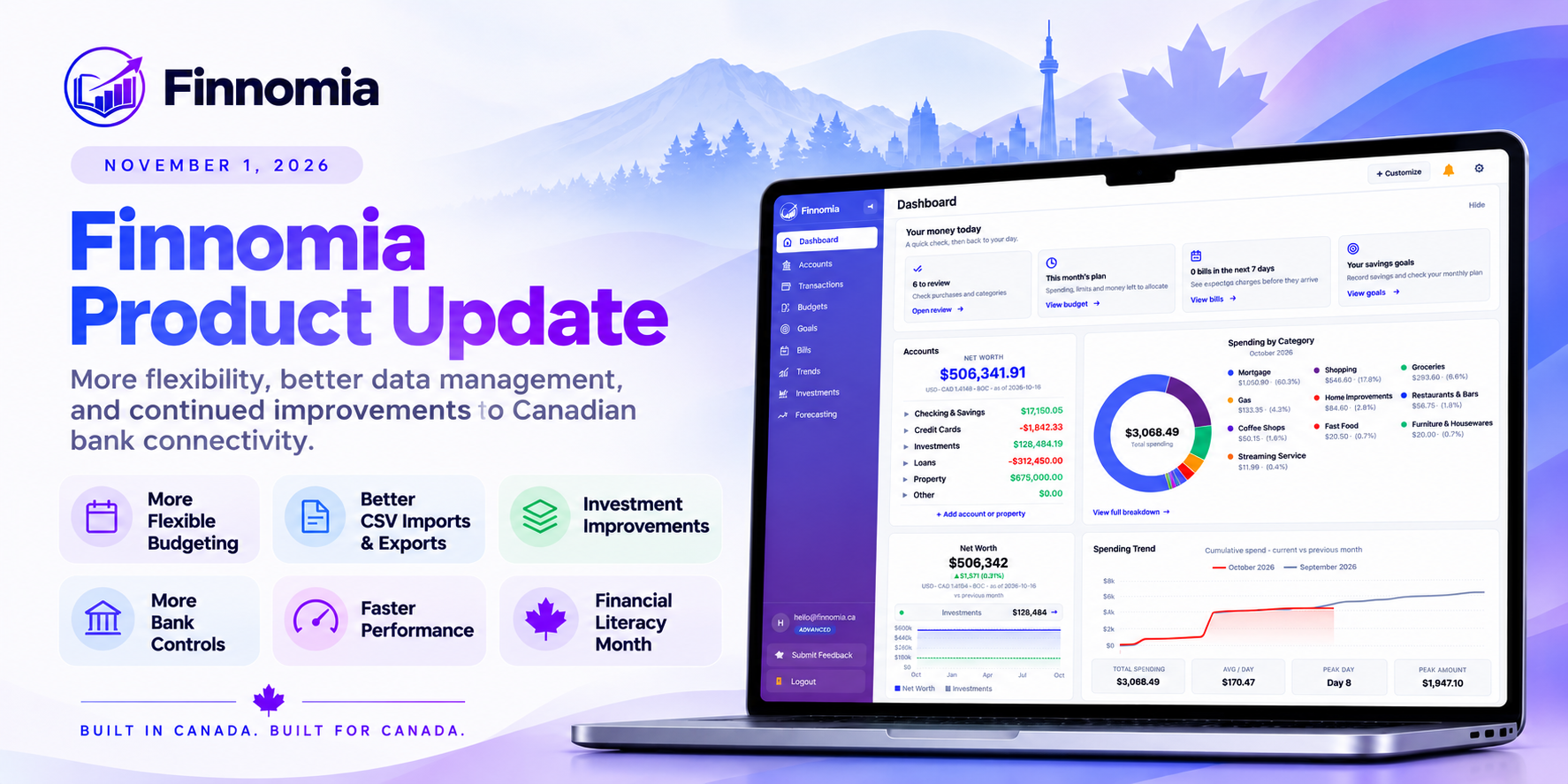
This week, we've rolled out another collection of improvements to Finnomia, many of them focused on those everyday details.
We've also continued making progress on the financial engine that supports budgets, balances, transactions, debt repayment, and goals.
Here's what's new.
More Flexible Budgeting
One of this week's most useful improvements is the ability to assign income to a specific budget month independently of its transaction date.
Consider someone who receives their final October paycheque on October 30 but intends to use that income for November's expenses.
The money arrived in October, and the bank transaction should continue to reflect that date. But for budgeting purposes, it makes sense to recognize that the income is intended to cover November's obligations.
Finnomia now supports that distinction.
You can assign income to the budget month where you want to use it without changing the original bank transaction date or affecting the account balance.
We've also introduced optional income carryforward settings, giving you more flexibility in how unused income is handled between budget periods.
For people who prefer a simpler monthly budget, carryforward can remain disabled.
A Clearer Picture of Your Spending
We've restored the Other spending section, which helps you identify expenses that fall outside your established budget categories.
You can select a category to see the underlying transactions, making it easier to understand where money is going and decide whether your budget needs adjusting.
We've also refined income history, chart data, category filtering, and the presentation of budget information.
Faster and Smoother Budget Pages
Performance received attention this week as well.
In one of our measured tests, budget-page loading improved from 10.6 seconds to 3.1 seconds while producing identical financial totals.
We also eliminated unnecessary flashing during refreshes and made the budget summary remain visible while updated information is loading.
The aim is a budgeting experience that feels responsive without compromising the accuracy of the underlying numbers.
Better CSV Imports and More Ways to Export Your Data
Managing financial information shouldn't depend entirely on automatic bank connections.
Whether you're importing years of transaction history, moving from another application, or maintaining accounts manually, being able to work with your own financial records is important.
We've made several improvements to Finnomia's data management tools.
Clearer Transaction Imports
The CSV import process now uses positive amounts for money coming in and negative amounts for money going out as its default convention.
We've improved the choices and previews that help you interpret files exported by different financial institutions.
We've also added:
- Saved import mappings for reuse.
- Import history and clearer upload results.
- Protected Undo for newly imported transaction batches.
- Better handling of investment transaction history.
- Improved guidance and mobile layouts.
The Undo functionality applies to new imports. Older imports don't automatically gain retroactive batch Undo, and complex CSV round-trip scenarios still have some limitations.
We've also improved investment-history imports so that bringing in past activity preserves current holdings and cash balances.
This matters particularly for people transferring historical information into Finnomia without wanting that import to change their present financial position.
More Export Options
We've expanded the information you can download from Finnomia.
You can now export transaction records, investment transaction history, and historical account balances, with account and date filters to help select the information you need.
We've also reorganized Settings → Data to provide clearer, separate Import and Export workflows.
We believe access to your own financial history is a fundamental part of managing your finances, regardless of which tools you choose to use.
Better Tools for Managing Investments Manually
Last week, we talked about our commitment to supporting connected, manual, and hybrid financial management.
This week's updates extend that work with better ways to manage and correct manually recorded investment activity.
We've introduced Correct / remove tools that make it easier to address mistakes involving investment transactions, holdings, quantities, cash, and cost basis.
We've also clarified two different actions that can otherwise be confusing:
Add an existing holding is for recording investments you already own.
Record activity is for recording financial events, such as a purchase or sale.
That distinction matters. Entering an investment you already own shouldn't automatically be treated the same way as recording a new purchase.
We've also made assets easier to add from the Accounts page and improved the handling of empty investment accounts and recalculations.
These changes are particularly useful for people tracking investments outside automatically connected brokerages or maintaining detailed records in registered accounts such as TFSAs, RRSPs, and FHSAs.
More Control Over Canadian Bank Connections
Reliable Canadian bank connectivity remains one of our largest ongoing priorities.
Finnomia uses both Plaid and Flinks to provide connections to supported Canadian financial institutions. Each provider has different capabilities, and some connections require more frequent reauthorization than others.
We can't eliminate every bank-imposed authentication restriction, but we can improve how Finnomia manages connections and responds when something goes wrong.
Manage Automatic Nightly Syncing
You can now enable or disable automatic nightly synchronization for individual Plaid and Flinks connections.
This provides more control over which connections Finnomia attempts to refresh automatically.
Manual synchronization remains available when nightly syncing is disabled.
For Plaid connections, disabling the setting stops Finnomia's scheduled synchronization work, although Plaid may still perform its own independent provider updates.
Add Accounts to an Existing Flinks Connection
We've also introduced support for adding more accounts to an existing Flinks connection without replacing the accounts already linked through it.
This is useful when you have several accounts at the same financial institution but didn't select all of them during the initial setup.
Better Synchronization Error Handling
We've made several targeted improvements to how Finnomia handles incomplete imports, authentication errors, investment data, and transaction history.
For example, when Plaid reports that transaction history isn't ready, Finnomia no longer treats that waiting state as a successful import containing zero transactions.
We've also improved warnings for cases where authentication succeeds but the subsequent financial data import fails.
Additional fixes have addressed investment synchronization, balance snapshots, missing transaction recovery, and the reporting of connection status.
Connection reliability remains a shared challenge involving banks, connectivity providers, and the applications built on top of them. Our work continues to focus on the parts of that experience we can improve.
Progress on Our Next-Generation Financial Engine
Behind the scenes, we've continued working on the financial engine that coordinates transactions, balances, budgets, investments, debt repayment, and other financial activity.
This is a significant undertaking because financial actions often affect more than one part of the application.
A debt payment, for example, may reduce a bank balance, lower the amount owed on a loan, contribute toward a debt-repayment goal, and affect the budget. Those effects need to stay consistent without counting the same activity twice.
Expanded Early Access
We've now expanded our controlled early-access pilot to seven enrolled accounts, including our founder's account.
Recent improvements include:
- Correcting older transactions and historical splits while keeping budgets and reports consistent.
- Better handling of linked payments and reversals.
- More intuitive debt-payment recording, including the option to use an existing transaction.
- Linking existing debt accounts to repayment goals or creating an account during goal setup.
- More accurate debt-payoff progress and calculations.
We've also continued validating balances, historical activity, and overall financial consistency against real account data.
The new engine is not yet generally available. We're expanding carefully while we complete the remaining compatibility and rollout checks.
Financial Accuracy and Reliability
We also completed an important budget-rollover integrity review this week.
Two earlier rollover operations were missing completion records even though the underlying budget updates had succeeded. Both cases have now been resolved through audited records.
We verified that all 44 carried budget targets, along with their schedules, balances, and subsequent customer activity, remained unchanged.
We've also strengthened safeguards against incorrect completion records and verified monitoring with no active integrity violations in the checked accounts.
Separately, we're preparing additional improvements to background processing and interrupted bank-connection recovery. Those larger changes are still undergoing testing and are not yet part of the generally available experience.
These are less visible improvements, but accuracy and recoverability are essential for software that people trust with their financial information.
Financial Literacy Month Is Underway
November is Financial Literacy Month in Canada, and we've launched our free 30-day financial education series.
Throughout the month, we're publishing one practical lesson each day, covering everyday money management, investing, economics, and longer-term financial planning.
Our first lesson, How to Build Your First Canadian Budget in 30 Minutes, is now available.
The series includes practical examples, exercises, and Canadian financial context.
It's available to everyone, with no Finnomia account or subscription required.
Explore Finnomia's Financial Literacy Month series.
What's Next?
Our priorities remain consistent.
We're improving the reliability of Canadian financial connectivity, strengthening manual and hybrid financial management, and preparing our next-generation financial engine for broader adoption.
We're also continuing to refine the everyday experience of using Finnomia, from understanding where your money goes to managing investments, planning debt repayment, and keeping your financial history accurate.
Customer feedback has played a significant role in identifying where these improvements are needed.
If you've been using the new budgeting, importing, exporting, or investment functionality, we'd welcome your thoughts. Hearing how these tools behave with real financial situations helps us identify what to improve next.
And if you're new to Finnomia, or haven't taken a look recently, you're welcome to explore what we've been building.
Built in Canada. Built for Canada.