
On this page
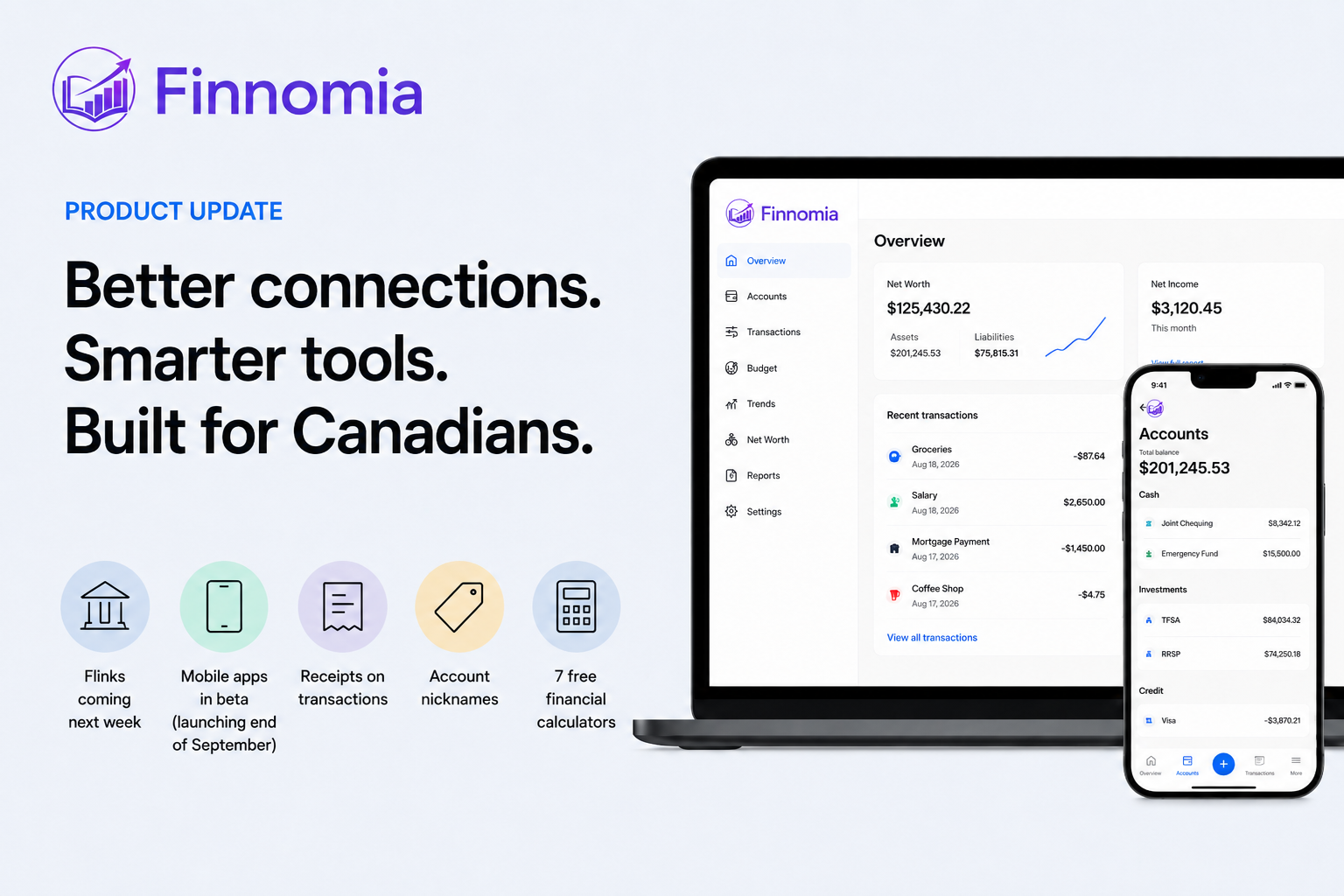
- Flinks is coming to Finnomia next week
- Mobile is now in internal beta
- Receipts now live with the transaction
- Give your accounts names that actually make sense to you
- Net Income on the dashboard is more accurate
- Seven free Canadian finance calculators
- The blog is becoming a real resource
- Small improvements add up
- What happens next
- Come take another look
Since our last product update, we have been focused on a mix of visible features and behind-the-scenes improvements — the kind of work that makes Finnomia more useful day to day and more reliable over time.
A few of these changes came directly from how people are actually using the product: keeping bank connections working, managing finances from more than one device, keeping records beside transactions, telling similarly named accounts apart, and checking whether the totals on one screen agree with another.
Here is what has changed.
Flinks is coming to Finnomia next week
One of the biggest updates is happening underneath the product.
We have signed an agreement with Flinks, a Canadian financial data platform, and we are adding them as a second data aggregator in Finnomia.
For users, the important part is what this should mean in practice: better coverage of Canadian financial institutions and more reliable account connections.
Bank connectivity in Canada can be inconsistent. Some institutions work very well through one provider and less well through another, and connection quality can vary depending on the bank, account type, or authentication flow.
Adding Flinks gives us another way to connect Canadians to their financial data rather than depending on a single aggregation provider.
The integration is now in progress, and we expect Flinks connectivity to be live next week.
We are especially excited about this because Finnomia is being built specifically for Canadians. Reliable access to Canadian banks, credit unions, credit cards, investment accounts, and other financial institutions is foundational to everything else in the product.
Mobile is now in internal beta
The Finnomia mobile apps have also reached an important milestone: iOS and Android are now in internal beta testing.
The goal is not to build a stripped-down companion app. We want the mobile experience to feel like a natural extension of Finnomia, so you can check your finances, review transactions, manage accounts, and handle everyday tasks without needing to be at a computer.
Internal testing is helping us work through the kinds of details that matter on a phone — navigation, performance, screen sizes, permissions, file handling, and the overall feel of using Finnomia throughout the day.
We are currently targeting the end of September for broader availability of the mobile apps.
One of the mobile-specific features already being tested is receipt handling: you can take a photo, choose an image from your library, or select a file and attach it directly to a transaction.
For now, the full production experience remains available on the web at finnomia.ca.
Receipts now live with the transaction
If you keep receipts for larger purchases, reimbursements, warranties, taxes, or simply because you like having a paper trail, you can now attach them directly to a transaction in Finnomia.
On the web, you can attach:
- JPEG
- PNG
- WebP
Each transaction can hold up to five files, with a maximum size of 10 MB per file.
The goal is simple: when you come back to a transaction six months from now, the supporting document can be right there with it instead of sitting in a folder somewhere else.
On mobile, receipt capture is part of the internal beta experience, including the ability to take a photo, choose one from your photo library, or select a file.
This is intentionally a straightforward receipt-storage feature. Finnomia is not trying to guess what is on the receipt or automatically rewrite the transaction. It is simply a better place to keep the record.
Give your accounts names that actually make sense to you
Bank-provided account names are not always especially helpful.
If you have ever stared at two accounts both called something like “CHEQUING” or “SAVINGS” and had to remember which one was which, you can now give them your own names.
Examples might be:
- Joint Chequing
- Emergency Fund
- Mortgage Account
- Travel Savings
- Everyday Visa
Account nicknames work on both web and mobile, and you can reset an account back to the name supplied by your financial institution at any time.
It is a small change, but for households with several accounts, it makes Finnomia much easier to scan.
Net Income on the dashboard is more accurate
We also fixed an issue that could make the Net Income number on the dashboard look higher than it really was.
Transfers between your own accounts and credit-card payments were being counted in a way that could inflate that figure.
They are now excluded.
That means moving $1,000 from chequing to savings is treated as exactly what it is: moving your own money around, not earning another $1,000.
The dashboard now uses the same treatment as the Trends section, so the two views should line up more consistently.
This is the kind of fix that is less exciting than a new feature, but more important. If Finnomia is going to help you understand your finances, the numbers have to make sense.
Seven free Canadian finance calculators
We have also been building more useful parts of Finnomia that do not require an account at all.
The Finnomia Tools section now includes seven free calculators:
- TFSA contribution room
- RRSP contribution room
- FHSA contribution room
- Compound interest
- Debt payoff
- Emergency fund
- Net worth
The debt-payoff calculator lets you compare the avalanche and snowball approaches, while the registered-account calculators are designed around the Canadian accounts people actually use.
There is no login required.
We built these partly because they are useful on their own, and partly because not everyone needs a full personal-finance app the first time they visit Finnomia. Sometimes you just want to answer one question.
If one of the calculators helps you, feel free to send it to someone else who might find it useful too.
The blog is becoming a real resource
The Finnomia blog is also properly up and running now.
What started as a simple place for product updates is becoming a library of practical articles about managing money in Canada.
We are writing about topics such as:
- budgeting
- TFSAs, RRSPs, and FHSAs
- emergency funds
- debt repayment
- net worth
- household finances
- managing money with a partner
- Canadian alternatives to Mint
Where it makes sense, those articles link directly to the free calculators so you can move from reading about a topic to actually working through the numbers.
Our goal is not to publish financial content for the sake of filling a blog. We want it to be useful, understandable, and specific to the financial decisions Canadians are actually making.
Small improvements add up
One theme since opening Finnomia to more people has become very clear: not every meaningful improvement needs a new page or a big announcement.
Sometimes the best changes are:
- having more reliable ways to connect Canadian financial institutions;
- being able to use Finnomia away from your desk;
- recognizing an account instantly;
- finding the receipt attached to the purchase;
- seeing the same financial result in two different parts of the app;
- or having a useful calculator available without creating an account.
Those are the kinds of improvements we have been concentrating on lately.
Finnomia is still evolving quickly, but the goal remains the same: make it easier to understand where your money is going, what you own, what you owe, and what your choices might mean over time.
What happens next
The next few weeks should be an important stretch for Finnomia.
If everything continues on track:
- Flinks is expected to go live next week, improving our options for connecting Canadian financial institutions.
- The mobile apps are targeting broader availability by the end of September, following the current internal beta.
We will share updates here as each milestone becomes available.
Come take another look
If you have not logged in for a little while, this is a good time to come back.
Open Finnomia and try adding a receipt to a transaction or giving a few of your accounts more useful names.
You can also explore the free financial calculators or browse the latest articles on the Finnomia blog.
And if you know someone who is not using Finnomia but might benefit from one of the calculators or articles, feel free to share it with them.
We are building Finnomia in Canada, for Canadians. Bringing Flinks into the platform and moving the mobile apps into beta are two important steps toward making the product more reliable and easier to use wherever you manage your money.
Aaron Smith Founder, Finnomia