
On this page
- Best Mint alternatives in Canada at a glance
- What happened to Mint in Canada?
- 1. Finnomia: best all-in-one option for Canadian financial life
- 2. Monarch Money: best polished established alternative
- 3. Lunch Money: best for flexible budgeting and transaction control
- 4. Waypoint Budget: a Canadian budgeting-focused alternative
- 5. YNAB: best if budgeting itself is the problem you want to solve
- 6. Don't dismiss a spreadsheet
- What should Canadians actually look for in a Mint replacement?
- Which Mint alternative is best for you?
- Our view
Mint was popular because it made complicated finances feel simple.
Connect your chequing account and credit cards. See your transactions automatically. Set a budget. Check your investments. Look at your net worth. Open one app instead of five banking websites and a spreadsheet.
When Mint disappeared, Canadians didn't just lose a budgeting app. We lost one of the easiest ways to see our whole financial picture in one place.
There still isn't a single official Mint replacement in Canada, but there are now several good alternatives — and they're quite different from one another.
Some are primarily budgeting systems. Some are broad financial dashboards. Some have strong Canadian support but more limited planning functionality. Others work in Canada but were designed primarily around the U.S. market.
If what you want is the closest thing to Mint's original promise — accounts, transactions, spending, budgets, bills, investments, debts and net worth together — the differences matter.
Best Mint alternatives in Canada at a glance
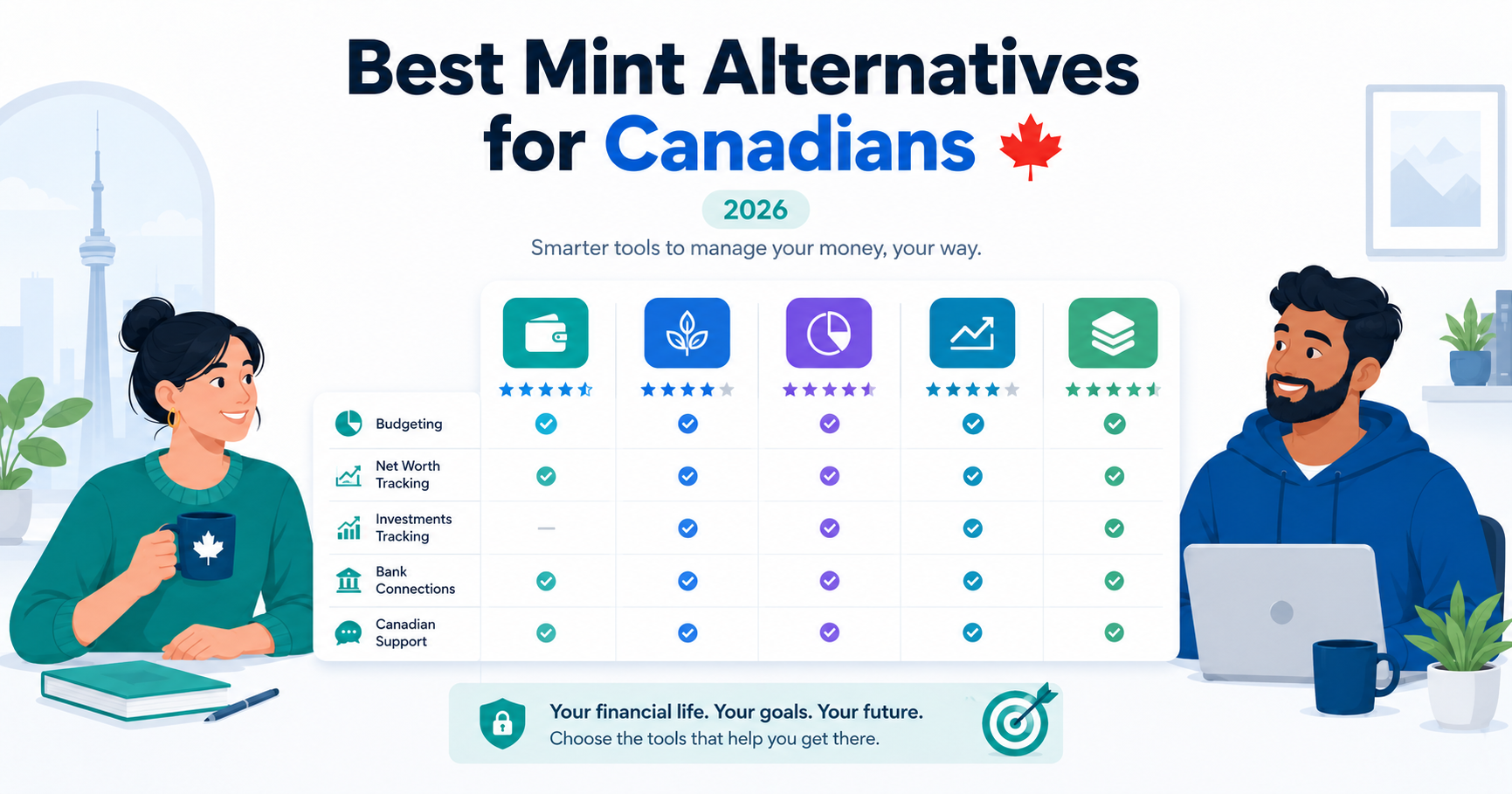
| App | Best for | Bank sync | Budgeting | Net worth & investments | Canadian-specific financial tools | Household support |
|---|---|---|---|---|---|---|
| Finnomia | Canadians who want an all-in-one financial management and planning platform | Canadian banks, credit unions and brokerages; currently Plaid with Flinks being added | Yes | Yes | TFSA, RRSP, FHSA, RESP, LIRA, debt planning, CPP/OAS retirement planning, CAD forecasting | Yes |
| Monarch Money | A mature, polished Mint-style financial dashboard | Multiple connection providers; available in Canada | Yes | Yes | Limited Canadian-specific planning compared with Canada-focused products | Yes |
| Lunch Money | Flexible budgeting, transactions and multi-currency tracking | Canadian bank sync through Plaid | Yes | Yes | Canadian-built and CAD-friendly, but less focused on registered-account and retirement planning | Collaboration available |
| Waypoint Budget | Canadian-focused budgeting and household money management | Plaid and Flinks | Yes | Available on higher tiers | TFSA/RRSP support and Canadian household features | Yes on Pro |
| YNAB | People who want a structured, hands-on budgeting method | Select Canadian institutions through multiple providers | Excellent | Secondary to budgeting | Works in CAD, but not built around Canadian investment or retirement planning | Yes |
| Spreadsheet / manual tracking | Maximum control without bank connections | No | Whatever you build | Whatever you build | Whatever you build | Share the file |
There is no universal winner because these products solve different problems.
But if you're specifically trying to replace what Mint did while also managing the parts of Canadian financial life Mint never handled particularly well, the comparison becomes much easier.
What happened to Mint in Canada?
Intuit retired Mint and shifted its U.S. personal-finance strategy toward Credit Karma.
The live Mint homepage describes Mint as having been “reimagined on Credit Karma,” and Intuit's Credit Karma announcement discusses moving Mint users toward Credit Karma features.
That doesn't mean Credit Karma Canada became Mint Canada.
The Canadian version of Credit Karma is primarily positioned around credit scores, credit reports, credit monitoring and credit education. It isn't marketed as a replacement for the budgeting, transaction aggregation and net-worth dashboard Canadian Mint users lost.
So if what you miss is opening one screen and seeing where your money went, what you owe and what you're worth, you're going to need another tool.
We've covered the shutdown in more detail in what happened to Mint in Canada.
1. Finnomia: best all-in-one option for Canadian financial life
We should start with the obvious disclosure:
You're reading this article on Finnomia's website.
We built Finnomia because we were looking for the same thing this article is about. After Mint disappeared, there were good budgeting products and good investment products, but finding one place that understood the complete financial life of a Canadian household was much harder.
Finnomia isn't just a budgeting app with Canadian dollars switched on.
It's designed to bring together the major pieces of your financial life:
- bank and credit-card accounts
- transactions
- spending
- budgets
- recurring bills and subscriptions
- savings goals
- debts
- investments
- registered accounts
- net worth
- cash-flow forecasting
- retirement planning
- household finances
Everyday money management
Finnomia automatically imports transactions from connected accounts and gives you control over how they're categorized.
You can search and filter transactions, change categories and descriptions, create your own category hierarchy, split transactions, attach receipts, use tags, bulk-edit transactions and create categorization rules.
That matters if you've ever used an app that repeatedly insists Costco belongs in the wrong category.
Budgeting works from those same transactions, so when you correct a category, the rest of your financial picture changes with it.
Finnomia also detects recurring charges and subscriptions, provides an upcoming-bills calendar, and lets you add or manage bills manually.
Debt planning instead of simply displaying debt
Many financial dashboards will show that you owe $8,000 on a credit card.
Finnomia's Debt Freedom Planner is built to help answer the next question:
What happens if I actually try to get rid of it?
The planner supports:
- debt avalanche
- debt snowball
- hybrid payoff ordering
- extra monthly payments
- dated lump-sum payments
- manual debts
- payoff timelines
- allocation charts
- payoff milestones
- saved scenarios you can compare
Change the amount you're willing to put toward debt and the projected payoff timeline changes with it.
That's a fundamentally different job from putting your credit-card balance on a dashboard.
Investments and Canadian registered accounts
Finnomia's Advanced plan includes investment-account tracking, holdings and investment transactions from connected brokerages.
It also understands Canadian registered-account types including:
- TFSA
- RRSP
- FHSA
- RESP
- LIRA
You can track contribution room that you enter yourself and compare year-to-date contributions against that amount.
Finnomia does not pull contribution room directly from CRA, so you should always verify official room through CRA and your own records.
But it means your TFSA doesn't have to appear as a generic investment account with a custom nickname just to make your finance app understand what it is.
Net worth and financial forecasting
Finnomia combines connected and manual assets and debts into your net worth and tracks that history over time.
Investments can be viewed in CAD, USD or as a combined value using Bank of Canada USD/CAD exchange-rate data rather than simply adding two currencies together.
The cash-flow forecast looks forward at expected income and spending so you can see the shape of the coming months instead of only reviewing the past.
Retirement planning that starts with Canada
Finnomia also includes a Canadian-aware Retirement Planner.
The current version includes:
- retirement nest-egg projections
- CPP assumptions
- OAS assumptions
- claim-age comparisons
- saved what-if scenarios
It is a planning tool, not financial advice, and CPP/OAS estimates should be verified against Service Canada and official government information.
But if you've ever opened a retirement calculator and immediately been asked about your 401(k), the difference is fairly obvious.
Families get separate logins, not shared passwords
The Family plan supports up to five members, with roles and separate user access.
Households can use shared budgets and a shared financial view while switching between Household and Personal views.
That's preferable to treating “family budgeting” as two people sharing one username and banking password.
Canadian bank connectivity
Bank connectivity is particularly important in Canada because no single data provider works equally well with every institution and account type.
Finnomia currently connects accounts through Plaid and has signed an agreement with Flinks, which is being added as a second connectivity provider.
The reason is straightforward: we want better coverage and reliability across Canadian banks, credit unions, credit cards, brokerages and investment institutions rather than relying permanently on a single aggregation network.
Finnomia currently supports institutions including RBC, TD, Scotiabank, BMO, CIBC, National Bank, Tangerine, EQ Bank, Simplii, Wealthsimple and Questrade, along with many Canadian credit unions.
Connections are read-only. Finnomia cannot move money and does not store your banking password.
Privacy and data residency
Finnomia is subscription-funded rather than advertising-funded.
Financial data is hosted in AWS Canada, encrypted in transit and at rest, and Finnomia is designed around Canadian privacy requirements including PIPEDA.
Users can export their information and delete their account.
The point isn't that Canadian software is automatically more private.
It's that when you're handing a company one of the most detailed pictures of your financial life imaginable, where the data lives and how the company makes money are reasonable questions to ask.
A broader Canadian mission
Finnomia's Canadian focus isn't limited to where the product is built, which institutions it connects to, or where financial data is stored.
Our broader social purpose is to help improve financial and economic literacy in Canada.
Better financial software can make someone's finances easier to understand, but software alone doesn't solve the broader problem. Financial knowledge, education and access to good information also matter.
That's why Finnomia has committed to donating 5% of its profits to Canadian charities and organizations working to improve financial and economic literacy.
That commitment doesn't make the software better by itself, and it shouldn't be the reason you choose a financial platform that doesn't meet your needs.
But it does reflect the kind of company we're trying to build: one whose success is connected to helping more Canadians understand their finances and make better financial decisions.
Pricing
Finnomia's current annual-billing prices are:
- Core: $5.99 CAD/month
- Advanced: $8.99 CAD/month
- Family: $14.99 CAD/month
- Founder: $12.99 CAD/month for the limited Founder membership
Every plan includes a 14-day trial.
Net worth, investment tracking, forecasting and the Debt Freedom Planner are part of Advanced and above.
The core budgeting, transaction, bill, goal, debt, investment, forecasting, retirement, net-worth and household functionality described above is already live.
2. Monarch Money: best polished established alternative
If Finnomia didn't exist, Monarch Money would be one of the first products we'd tell a former Mint user to investigate.
That's because Monarch understands the “one financial picture” use case particularly well.
It combines:
- connected accounts
- transaction tracking
- budgeting
- recurring bills and subscriptions
- goals
- reports
- investments
- net worth
- household collaboration
Monarch offers both category-based budgeting and its more flexible Flex Budgeting system.
It also has strong reporting, including detailed spending reports and Sankey-style cash-flow visualization.
Strong account aggregation
Monarch uses multiple financial-data providers rather than relying on only one.
That gives it more flexibility when a particular institution works better with one provider than another, and Monarch maintains connection-status information for institutions including Canadian ones.
This is an important capability because bank synchronization problems are not unique to any one budgeting app — particularly in Canada.
Strong household functionality
Monarch lets you invite a partner or other household member with a separate login at no additional subscription cost.
Both members can work from the same broader financial picture, which makes it a strong option for couples.
Where it is less Canadian-specific
Monarch is available in Canada, but its overall product is built for a broader North American market.
That shows up most clearly around financial planning and investments. Its materials naturally talk about things such as 401(k)s and U.S.-oriented financial concepts, while products built specifically around Canada can go deeper into TFSA, RRSP, FHSA, CPP and OAS workflows.
That doesn't make Monarch a bad Canadian product.
It just means there's a difference between supporting Canadian customers and designing the product around Canadian financial life.
Monarch's standard annual subscription is currently priced in U.S. dollars, with a free trial available.
Who should choose Monarch?
Monarch makes a lot of sense if you:
- want a mature and polished all-in-one dashboard
- want excellent reporting
- need household collaboration
- want investment and net-worth tracking
- don't mind USD pricing
- don't need deep Canadian-specific debt, registered-account or retirement-planning features
For many former Mint users, it should absolutely be on the shortlist.
3. Lunch Money: best for flexible budgeting and transaction control
Lunch Money is another product Canadians shouldn't overlook.
It's Canadian-built and has been around since 2019, although it serves an international customer base rather than being exclusively focused on Canada.
Lunch Money is particularly strong at the transaction-and-budgeting layer.
Its feature set includes:
- Canadian bank sync through Plaid
- transaction categorization
- splitting, grouping and tagging
- rules and automation
- recurring-expense tracking
- custom budgeting periods
- analytics
- net-worth tracking
- CSV and PDF transaction import
- multi-currency support
- unlimited collaborators
- a developer API
Multi-currency is a real strength
Lunch Money is especially interesting if your life doesn't fit neatly inside one currency.
It was designed with multi-currency support as a core capability, which can be valuable for Canadians who regularly spend, earn or hold accounts in both CAD and USD.
Very flexible budgeting
Lunch Money allows more customization than many mainstream budget apps.
You can define custom budgeting periods rather than being forced into a conventional calendar month, and its rules engine gives power users significant control over transaction handling.
If what you loved most about Mint was automatic transactions but you want something more configurable, Lunch Money deserves a close look.
Where it differs from Finnomia
Lunch Money covers budgeting, transactions and net-worth tracking very well.
Finnomia goes further into areas such as:
- structured debt-payoff modelling
- Canadian registered-account tracking
- contribution-room tracking
- cash-flow forecasting
- Canadian retirement planning with CPP and OAS
- broader household financial planning
So the choice largely depends on what you're actually replacing.
If Mint was mainly your transaction and budget system, Lunch Money may be everything you need.
If you're looking for a broader personal-finance planning platform that connects day-to-day money management with debt, investing and longer-term planning, Finnomia is designed for that wider job.
Lunch Money offers a 14-day trial and flexible subscription pricing, including pricing options for Canadian customers.
4. Waypoint Budget: a Canadian budgeting-focused alternative
Waypoint Budget is another Canadian-focused product worth knowing about, particularly if your main priority is budgeting and household money management.
It offers a free tier with manual transactions and budgeting, while paid tiers add bank sync and additional financial-management tools.
Its feature set includes:
- manual and connected transactions
- budgeting
- transaction categorization
- recurring items
- goals
- reports
- cash-flow forecasting
- subscription tracking
- net-worth tracking on Pro
- registered-account tracking on Pro
- household budgeting on Pro
Plaid and Flinks connectivity
Waypoint already uses both Plaid and Flinks for financial connections.
That's particularly relevant in Canada, where having more than one aggregation option can improve the ability to support different institutions.
Its Canadian materials specifically mention support for major banks such as RBC, TD, Scotiabank, BMO and CIBC, along with online banks and other institutions.
Canadian household features
Waypoint has also put work into Canadian couples use cases, including shared household budgets, separate personal views and handling common situations such as Interac e-Transfer splits.
Its Pro tier includes household functionality for up to five members.
Where it differs from Finnomia
Waypoint overlaps with Finnomia on many of the everyday money-management features a former Mint user would expect, including budgeting, connected accounts, recurring expenses, goals, net worth and household finances.
The difference becomes more noticeable as you move beyond day-to-day budgeting.
Finnomia also includes:
- investment holdings and investment transactions
- TFSA, RRSP, FHSA, RESP and LIRA account support
- registered-account contribution-room tracking
- a Debt Freedom Planner with avalanche, snowball and hybrid strategies
- extra-payment and lump-sum debt scenarios
- cash-flow forecasting integrated into the broader financial picture
- CPP- and OAS-aware retirement planning
- deeper financial trends and reporting
So while both products can cover the core budgeting and account-tracking jobs that brought many people to Mint, Finnomia is designed to extend that same financial picture into debt strategy, investing and longer-term financial planning.
Waypoint's free manual tier may still make it attractive if your priority is a simpler Canadian budgeting setup and you're not looking for that broader planning functionality.
5. YNAB: best if budgeting itself is the problem you want to solve
YNAB — You Need A Budget — is one of the biggest names people encounter when searching for a Mint replacement.
But it's important to understand that YNAB and Mint were built around different ideas.
Mint was mostly about:
“Show me what happened to my money.”
YNAB is much more interested in:
“What should the money I have right now do next?”
Its budgeting method encourages you to assign available money to priorities and then adjust those allocations as your life changes.
For people who struggle with spending decisions or want a very intentional budgeting process, that can be extremely effective.
Canadian bank connections
YNAB's Direct Import supports select Canadian financial institutions.
It currently uses multiple connection providers and can switch providers when another is performing better for a particular institution.
YNAB also supports file-based and manual transaction entry when direct import isn't available or isn't behaving reliably.
Its own documentation acknowledges that some Canadian institutions can be challenging to connect — a reminder that connectivity remains an industry-wide Canadian problem rather than something any single budgeting app has completely solved.
Where YNAB differs from a Mint-style dashboard
YNAB can track accounts and debt, but its centre of gravity remains the budget.
It isn't primarily trying to become a Canadian investment, net-worth, retirement and household financial-planning platform.
So if you're searching for a Mint replacement because you want a better budgeting system, YNAB may actually be the strongest choice here.
If you're searching because you want your entire financial life on one dashboard, an all-in-one platform may fit better.
YNAB currently costs $109 USD/year or $14.99 USD/month, with a 34-day trial.
6. Don't dismiss a spreadsheet
Not everyone needs another financial subscription.
A spreadsheet has no automatic bank sync and creates more work, but it gives you complete control.
You decide:
- which accounts matter
- how categories work
- what gets included in net worth
- how debts are modelled
- what reports exist
- where the file lives
There is also no dependency on an aggregation provider maintaining a connection to your bank.
For relatively simple finances, that may be enough.
The Financial Consumer Agency of Canada also provides a free Budget Planner if budgeting is the only problem you're trying to solve.
See spreadsheet vs app for managing money in Canada for a deeper comparison.
What should Canadians actually look for in a Mint replacement?
Feature lists can make every finance app sound identical.
They're not.
Before choosing one, I'd ask these questions instead.
Does it connect to the institutions you actually use?
“Supports Canadian banks” isn't specific enough.
Your household might have:
- RBC chequing
- an Amex credit card
- a mortgage at a credit union
- a Wealthsimple TFSA
- a Questrade RRSP
- an employer retirement account
The combination matters.
No financial-data provider connects perfectly to every institution, so check your specific accounts rather than just looking for a Canadian flag on the homepage.
Products that work with more than one connectivity provider may have additional options when a particular institution is problematic.
Does it only show transactions, or can you actually manage them?
Automatic categorization is useful until it gets something wrong.
Then what matters is whether you can:
- recategorize transactions
- build your own rules
- split purchases
- distinguish transfers from spending
- search and filter
- import missing history
- correct descriptions or merchants
Mint's automation was convenient, but control matters just as much.
Does it manage bills and recurring expenses?
A personal-finance dashboard shouldn't only tell you what happened last month.
It should also help answer:
What's about to hit my account?
Look for recurring-charge detection, bill calendars, subscription tracking and reminders if those were part of how you used Mint.
Can it show your actual net worth?
A useful net-worth view should bring together both sides of the equation:
assets – liabilities = net worth
For a Canadian household, that might include:
Assets
- chequing and savings
- TFSA
- RRSP
- FHSA
- RESP
- non-registered investments
- property
- other manual assets
Liabilities
- credit cards
- mortgage
- line of credit
- auto loan
- student debt
Your available credit isn't an asset, and unused TFSA or RRSP contribution room isn't part of net worth either.
See registered accounts and net worth for more on that distinction.
Does it understand your investments, or just display the account balance?
There's a big difference between showing:
TFSA — $74,220
and actually showing the holdings and transactions inside that TFSA.
If investments represent a meaningful portion of your financial picture, look at how deeply each platform supports them.
What happens after it shows you your debt?
One of the shortcomings of many financial dashboards is that they are excellent at showing a problem and weaker at helping model a solution.
If debt reduction matters to you, compare whether the software supports:
- payoff strategies
- extra payments
- lump sums
- payoff dates
- scenario comparison
rather than simply displaying the liability.
Can it help you look forward?
Mint was fundamentally a backward-looking product.
Modern financial software can potentially go further.
Cash-flow forecasting can help answer whether an unusually expensive month is coming.
Debt forecasting can show the impact of an extra payment.
Retirement planning can start connecting today's saving behaviour to a much longer-term goal.
Those capabilities aren't necessary for everyone, but they create a meaningful difference between a budget tracker and a broader personal-finance platform.
Does Canadian financial life feel native or translated?
Supporting CAD is the minimum.
A product genuinely designed around Canadian finances should ideally understand concepts such as:
- TFSA
- RRSP
- FHSA
- RESP
- LIRA
- CPP
- OAS
- Canadian financial institutions
- Canadian privacy expectations
That doesn't automatically make a Canadian product better than an American one.
Monarch and YNAB are excellent products.
But it does affect how much adapting you have to do to make the software describe your actual financial life.
Does it work for your household?
If you're managing money with a partner, don't solve collaboration by sharing a banking password.
Compare whether an app provides:
- separate user accounts
- shared budgets
- household and personal views
- joint versus individual accounts
- member permissions
- additional-user pricing
Our household budgeting guide for Canadians goes deeper on this.
How does the company make money?
This matters more than it did in Mint's era.
A finance app may know:
- where you shop
- what you earn
- what you owe
- how much you have invested
- where you bank
- what subscriptions you pay for
Subscription pricing isn't necessarily a downside if it means the business model is simply:
You pay for the software.
When evaluating a service, read its privacy policy and understand how your data is used, where it is stored and whether it is sold or shared for advertising.
Our Canadian bank-sync and PIPEDA checklist covers the questions worth asking.
Which Mint alternative is best for you?
Here's the simplest way to narrow the field.
Choose Finnomia if:
You want a Mint-style financial dashboard that goes substantially beyond Mint's original functionality, with Canadian financial planning built into the same platform.
Finnomia brings together:
- bank and credit-card accounts
- transaction management
- budgeting
- recurring bills
- goals
- net worth
- investment holdings and transactions
- Canadian registered accounts
- contribution-room tracking
- detailed debt-payoff planning
- cash-flow forecasting
- CPP/OAS-aware retirement planning
- household finances
The strongest fit is someone who doesn't want separate apps for budgeting, debt planning, investment tracking and longer-term financial planning.
Finnomia is also built around Canadian accounts, institutions, pricing, privacy and financial programs rather than treating Canada as another supported currency.
Choose Monarch Money if:
You want a polished, established all-in-one financial dashboard with strong reporting, investment tracking and household collaboration.
Monarch is probably the most obvious large U.S.-based successor to Mint for Canadians who don't need deep Canada-specific registered-account, debt or retirement-planning functionality.
Choose Lunch Money if:
You care most about flexible budgeting, transaction control, custom rules and multi-currency support.
It's particularly strong for people who want detailed control over how transactions are imported, categorized and organized.
If your needs extend further into Canadian debt strategy, registered accounts, retirement planning and broader forecasting, compare that functionality against a more comprehensive planning platform.
Choose Waypoint if:
Your main priority is budgeting and household money management, and you want a Canadian-focused product with a free manual tier before paying for bank connectivity.
Waypoint overlaps with Finnomia on budgeting, account connections, recurring expenses, goals, net worth and household features.
The bigger difference is how far beyond budgeting you want the platform to go.
If you also want detailed debt-payoff modelling, investment holdings and transactions, broader registered-account support, contribution-room tracking, cash-flow forecasting, CPP/OAS-aware retirement planning and a single dashboard that ties those pieces together, Finnomia is designed to cover more of that financial picture.
Waypoint is therefore worth considering if you want a simpler Canadian budgeting platform. Finnomia is the stronger fit if you're looking for a broader Mint replacement and personal-finance planning platform.
Choose YNAB if:
You don't really want another Mint.
You want a budgeting methodology that changes how you decide what your money should do.
For that job, YNAB remains one of the strongest products available.
Choose a spreadsheet if:
You don't mind doing the work yourself and value customization more than automation.
There is nothing wrong with that answer.
Our view
Mint proved there was enormous value in being able to open one place and immediately understand your money.
But the opportunity after Mint isn't just to rebuild the same dashboard.
A modern personal-finance platform can connect everyday spending to much bigger questions:
- Am I living within my budget?
- What bills are coming next?
- When could I be debt-free?
- Is my net worth moving in the right direction?
- How are my investments doing?
- Am I making progress toward my goals?
- What might my cash flow look like three months from now?
- What could retirement look like with CPP and OAS?
- Can my partner and I see the same household picture without sharing passwords?
That's the product we're building with Finnomia.
We're building it around the financial system Canadians actually use — but the goal is bigger than building another finance app.
Finnomia's social purpose is to help improve financial and economic literacy in Canada, and we've committed 5% of our profits to Canadian charities and organizations working toward that same goal.
We want Finnomia to succeed by helping Canadians better understand their finances, make more informed decisions and feel more in control of their financial lives.
You can start a 14-day free trial today.
Or, if you want to start with the simplest possible version of the Mint question — “What am I actually worth?” — use Finnomia's free net-worth calculator.
Features and pricing were reviewed in August 2026 and can change. Finnomia is one of the products compared in this article. Competitor descriptions are based on publicly available product information and are intended to help readers compare their options, not suggest that one product is right for everyone. This article provides general information, not financial advice.