
On this page
- Spreadsheet vs. budgeting app at a glance
- When a spreadsheet is probably enough
- Where spreadsheets start to become work
- The real advantage of an app is reducing maintenance
- Bank sync matters most when you have multiple accounts
- Bank sync still isn't magic
- Transaction tracking is where the maintenance difference gets obvious
- Transfers are easy to get wrong in either system
- Budgeting itself works in either tool
- Recurring bills are much easier to miss in a spreadsheet
- Net worth is simple math but harder data maintenance
- Investments widen the gap
- Debt planning is where spreadsheets remain extremely powerful
- Household finances increase the value of an app
- Privacy is more complicated than “spreadsheet = private”
- Cost is more than the subscription price
- Don't overlook portability
- The best answer may be both
- When a spreadsheet is probably the better choice
- When an app starts making more sense
- Where Finnomia fits
- The tool should reduce work, not create more of it
The grocery receipt is still sitting in the bag.
If you use a spreadsheet, someone has to enter it.
If you use a connected budgeting app and paid by card, the transaction may already be waiting for you.
That small difference captures most of the spreadsheet-versus-app debate.
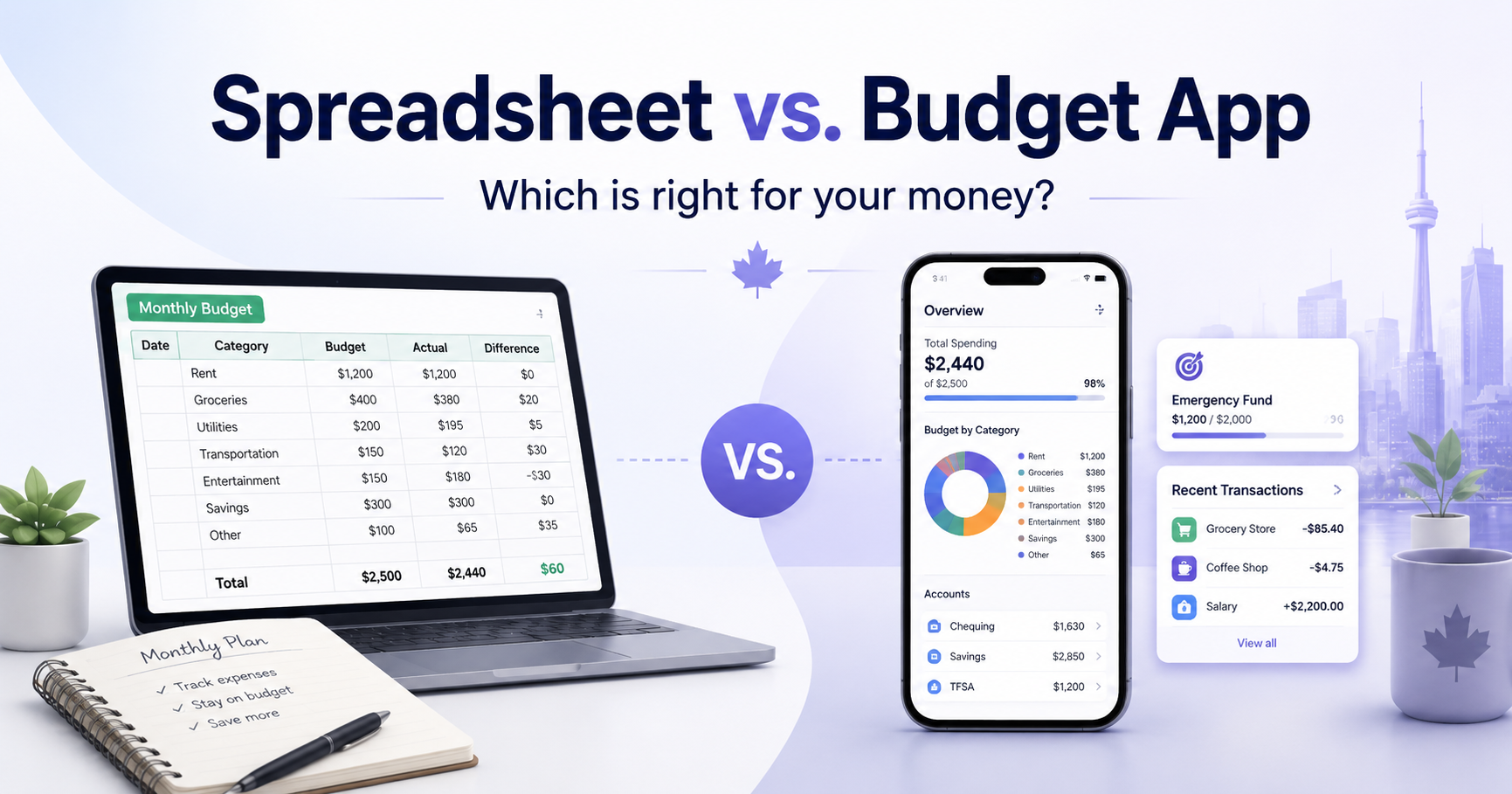
A spreadsheet gives you maximum control. You decide what gets tracked, how categories work, which calculations matter and where the data lives.
A personal-finance app gives you automation. It can bring transactions, balances, budgets, bills and other financial information together without requiring you to rebuild the picture manually every month.
Neither is inherently better.
The right choice depends on what you're trying to manage, how complicated your finances are and how much ongoing bookkeeping you're willing to do.
And for many people, the best answer isn't actually one or the other.
It's both.
Spreadsheet vs. budgeting app at a glance
| Spreadsheet | Personal-finance app | |
|---|---|---|
| Cost | Usually free or already available | Usually subscription-based for full features |
| Setup | You build the system | Much of the structure is provided |
| Customization | Extremely high | Limited to the app's design |
| Transaction entry | Manual or CSV import | Can be automated through account connections |
| Categorization | Entirely controlled by you | Usually automated, with varying degrees of user control |
| Budgeting | Whatever you build | Built in |
| Recurring bills | Manual | Often detected or tracked automatically |
| Net worth | Manual balances/formulas | Can update from connected and manual accounts |
| Investments | Possible, but labour-intensive | May import balances, holdings and transactions |
| Debt planning | Whatever you model | Depends on the app |
| Household use | Share the file | Multi-user support depends on the app |
| Privacy | Potentially excellent, especially offline | Depends on the provider and how it handles data |
| Portability | Excellent | Check export options |
| Ongoing maintenance | High | Usually much lower |
The question is therefore less:
“Which tool can make a budget?”
Both can.
The better question is:
“Which parts of managing my finances do I want to maintain myself?”
When a spreadsheet is probably enough
Spreadsheets are underrated personal-finance tools.
There are plenty of situations where paying for an app would add complexity rather than remove it.
Your finances are simple
Suppose you have:
- one chequing account
- one savings account
- one credit card
- a predictable paycheque
- relatively stable monthly expenses
You may not need financial aggregation software.
A spreadsheet that records monthly income, major expense categories, savings and account balances may tell you everything you need to know.
The more predictable your finances are, the easier manual tracking becomes.
You're building a one-time plan
Spreadsheets are particularly good at answering temporary questions.
For example:
- Can we afford parental leave?
- What happens if we move?
- What would a renovation cost?
- How much could we save over the next six months?
- What happens if I increase my debt payment?
- What would buying a car do to the monthly budget?
You can create exactly the rows and formulas the problem requires and throw the model away when you're finished.
Connecting every financial account just to answer one temporary question may be unnecessary.
You want complete customization
With a spreadsheet, there is no product manager deciding what your budget should look like.
If you want:
- 8 categories, use 8
- 75 categories, use 75
- custom formulas, build them
- unusual reporting periods, create them
- your own debt model, make one
- custom charts, build them
- a completely different budgeting method, change the sheet
You're not limited to the workflow the software company designed.
For someone who genuinely enjoys building financial models, that freedom can be a major advantage.
You don't want to connect financial accounts
Some people simply don't want a third-party financial application connected to their bank or brokerage.
That's a reasonable preference.
A spreadsheet can work entirely from:
- statements
- downloaded transaction files
- manually entered balances
- receipts
You can even keep the file offline.
That gives you a level of direct data control that a connected financial service cannot fully reproduce.
You want a permanent financial archive
Spreadsheet formats are broadly portable.
You can save:
- monthly snapshots
- annual budgets
- transaction exports
- net-worth history
- account balances
and keep those files independently of whichever finance product you're currently using.
Even if you prefer an app for day-to-day management, keeping periodic exports can be a useful part of owning your financial history.
Where spreadsheets start to become work
The problem with a spreadsheet usually isn't what it can do.
It's who has to keep doing it.
Imagine that you manage:
- two chequing accounts
- a savings account
- three credit cards
- a mortgage
- a TFSA
- an RRSP
- an FHSA
- a brokerage account
You can absolutely track all of that in Excel or Google Sheets.
But every useful dashboard depends on someone continually updating the underlying data.
Account balances change.
Transactions arrive.
Credit-card purchases need categories.
Investments move.
Bills renew.
Transfers need to be identified.
If no one maintains the sheet, it doesn't become slightly less accurate.
It becomes a historical document.
That's where the trade-off changes.
The real advantage of an app is reducing maintenance
A good personal-finance app doesn't eliminate financial decision-making.
It eliminates some of the bookkeeping required before you can make those decisions.
Instead of:
- log into the bank
- download transactions
- open the spreadsheet
- paste the new rows
- remove duplicates
- assign categories
- update account balances
- refresh charts
you can start closer to:
“What changed?”
That's the main value of account connectivity.
Not prettier charts.
Less work getting the data into the system.
Bank sync matters most when you have multiple accounts
Automatic connections become much more valuable as your financial life spreads across institutions.
A Canadian household might use:
- TD for chequing
- Tangerine for savings
- CIBC for a credit card
- Wealthsimple for a TFSA
- Questrade for an RRSP
- a credit union for the mortgage
Without aggregation, understanding the whole picture means visiting several places.
A connected personal-finance platform can potentially bring those accounts together so you can see:
- recent transactions
- balances
- spending
- assets
- debts
- investments
- net worth
from one financial view.
That convenience is less valuable if you only have two accounts.
It becomes much more valuable as the number of accounts grows.
Bank sync still isn't magic
Connected financial data isn't perfect.
Canadian institutions can experience:
- temporary disconnections
- authentication changes
- delayed transactions
- incomplete account coverage
- differences between connection providers
So don't evaluate an app solely on whether its website says:
“Supports Canadian banks.”
Check whether it works with your particular combination of institutions and accounts.
Canada is also moving toward a formal consumer-driven banking framework intended to make financial-data sharing more standardized and secure. Proposed Consumer-Driven Banking Regulations were pre-published in June 2026, with implementation expected to occur in stages after final regulations are published.
Until that framework is broadly operational, connection quality will continue to vary.
Transaction tracking is where the maintenance difference gets obvious
Suppose you want to understand last month's spending.
With a spreadsheet, you need to get the transactions into the sheet somehow.
You could:
- type them manually
- copy them from statements
- download CSV files
- import bank exports
Once they're there, you still need to decide what each transaction represents.
An app can automate much of that first pass.
But automation is only useful if you can correct it.
Look for the ability to:
- change categories
- create categorization rules
- split transactions
- identify transfers
- search and filter
- correct merchant descriptions
- bulk-edit transactions
The best system isn't one that never requires human input.
It's one that does the repetitive work while leaving you in control of the exceptions.
Transfers are easy to get wrong in either system
Whether you're using a spreadsheet or an app, transfers need to be treated carefully.
Suppose you buy $150 of groceries with a credit card.
The purchase is the expense:
Groceries: $150
Later, you pay the credit-card bill from chequing.
That payment shouldn't become another $150 of spending.
Otherwise your spreadsheet or app reports:
$300 spent
when you actually spent $150.
The same issue appears when moving money:
- chequing → savings
- chequing → TFSA
- savings → chequing
Money moved between your own accounts, but that doesn't necessarily mean income or spending occurred.
Automation can help identify transfers, but you should still review them.
Budgeting itself works in either tool
The Financial Consumer Agency of Canada defines a budget as a plan that helps you understand how much money you receive, spend and save.
Its budgeting guidance recommends using recent pay stubs, bills and account statements, building a realistic plan and comparing that plan with what you actually spend each month.
None of that requires a particular software format.
A spreadsheet can do the arithmetic perfectly well:
income − expenses = surplus or deficit
A budgeting app can do the same calculation while automatically incorporating actual transactions.
So the difference isn't the underlying budgeting math.
It's how easily the system stays updated.
For a complete walkthrough of the budgeting process, see How to Budget in Canada in 2026.
Recurring bills are much easier to miss in a spreadsheet
A spreadsheet can track recurring bills.
You can create rows for:
- rent
- hydro
- internet
- insurance
- subscriptions
- memberships
- loan payments
- annual renewals
But someone has to maintain that list.
If Netflix increases its price, the sheet doesn't know.
If an annual subscription renews unexpectedly, the spreadsheet doesn't discover it.
Some financial apps analyze transaction history to identify recurring charges and upcoming bills automatically.
That can change the job from:
“What subscriptions do we have?”
to:
“Are these detected subscriptions correct?”
For households with many recurring charges, that's a meaningful reduction in maintenance.
Net worth is simple math but harder data maintenance
Net worth itself is straightforward:
assets − liabilities = net worth
A spreadsheet can calculate it with one formula.
The harder part is keeping the balances current.
Your assets might include:
- chequing
- savings
- TFSA
- RRSP
- FHSA
- RESP
- non-registered investments
- property
Liabilities might include:
- credit cards
- mortgage
- line of credit
- loans
If you update those balances once a year, a spreadsheet may be perfect.
If you want to see your net worth change every month or every week, manual updates become more tedious.
That's where connected accounts can make an app much more useful.
One important Canadian distinction: unused TFSA or RRSP contribution room isn't part of net worth. The actual cash and investments inside those accounts can be.
We cover that separately in registered accounts and net worth.
Investments widen the gap
A spreadsheet is excellent for investment modelling.
It's less convenient for continually maintaining investment data.
Suppose you have several investment accounts containing dozens of holdings.
To maintain a detailed spreadsheet yourself, you may need to track:
- ticker
- quantity
- purchase price
- current price
- market value
- account type
- transactions
- dividends
- currency
- gains and losses
Again, completely possible.
But now you're maintaining an investment database.
A finance app that can retrieve holdings and investment transactions automatically may dramatically reduce the effort.
This distinction also matters for Canadian registered accounts such as:
- TFSA
- RRSP
- FHSA
- RESP
- LIRA
If investing is a meaningful part of your financial picture, ask whether the app merely shows an investment-account balance or actually understands the holdings and transactions inside it.
Debt planning is where spreadsheets remain extremely powerful
This is one category where spreadsheets can still be excellent even for people who use a personal-finance app.
You can build a custom debt model containing:
- balances
- interest rates
- minimum payments
- extra payments
- payoff order
- lump sums
- projected payoff dates
The advantage is complete flexibility.
The disadvantage is that you have to design and maintain the model.
Some financial apps provide debt-planning tools that do this modelling for you.
So the decision becomes similar to the overall spreadsheet-versus-app question:
Do I want to build the model, or use a model that's already built?
Household finances increase the value of an app
Spreadsheets are easy to share.
That's both a strength and a limitation.
A shared Google Sheet can give two people access to the same household budget.
But it usually doesn't understand:
- which accounts belong to whom
- which transactions are personal
- which transactions are household
- who should see particular accounts
- permissions
- connected account ownership
A household-focused finance app can potentially provide separate user identities while still building a shared financial picture.
That matters when a couple wants to manage:
- household spending
- bills
- budgets
- goals
- debt
- net worth
without simply sharing one banking or budgeting login.
For the practical household system, see Budgeting With a Partner or Roommate in Canada.
For account access and security, see Household Finances Without Shared Passwords.
Privacy is more complicated than “spreadsheet = private”
A spreadsheet can provide extraordinary privacy.
An offline file stored on your own encrypted computer may involve no financial-data provider at all.
But many spreadsheets aren't actually offline.
They may be stored in:
- Google Drive
- Microsoft OneDrive
- Dropbox
- another cloud service
They may also be:
- shared with household members
- accessible through multiple devices
- included in cloud backups
So the real privacy comparison isn't:
spreadsheet = private app = not private
It's:
Where is my financial information stored, who can access it, and what safeguards protect it?
Financial information is sensitive, so whichever approach you choose deserves appropriate protection.
For a spreadsheet, that can include:
- strong account security
- multi-factor authentication
- device encryption
- careful sharing permissions
- secure backups
For a financial app, look at:
- encryption
- authentication
- data residency
- privacy policy
- account-connection model
- export and deletion options
- whether financial information is sold or used for advertising
Cost is more than the subscription price
A spreadsheet may cost you nothing.
An app might cost $5, $10 or $15 per month.
On the surface, the spreadsheet obviously wins.
But there are two kinds of cost.
Money
What are you paying for the tool?
Time
How long do you spend:
- importing data
- fixing formulas
- maintaining categories
- updating balances
- creating reports
- reconciling accounts
- keeping the system current
For someone who enjoys spreadsheets, that time may not feel like a cost.
For someone who abandons the budget because maintaining it becomes another chore, automation may easily justify a subscription.
Don't overlook portability
Whichever system you choose, ask:
Can I get my data back out?
For spreadsheets, the answer is straightforward because you already control the file.
With an app, check whether you can export things such as:
- transactions
- balances
- reports
- account history
Don't build years of financial history inside a service without understanding your exit path.
If you're already moving between tools, see How to Switch Budget Apps in Canada.
The best answer may be both
This is the part the spreadsheet-versus-app debate often misses.
A personal-finance app and a spreadsheet don't have to compete for the same job.
A useful combination might look like this:
Use the app for ongoing financial operations
- connected transactions
- categorization
- monthly budgeting
- bills
- account balances
- investments
- net worth
- household visibility
Use a spreadsheet for custom analysis
- planning a move
- modelling parental leave
- comparing mortgage scenarios
- evaluating a major purchase
- experimenting with savings assumptions
- custom financial calculations
- one-off projects
That's often a better division of labour than forcing either tool to do everything.
Your personal-finance app becomes the current financial picture.
Your spreadsheet becomes the financial scratchpad.
When a spreadsheet is probably the better choice
I'd lean toward a spreadsheet if:
- your finances are relatively simple
- you only need a monthly or annual budget
- you enjoy maintaining spreadsheets
- you want maximum customization
- you don't want connected financial accounts
- you mainly need occasional financial modelling
- you prefer keeping the data locally
- you don't mind manually updating balances
There's nothing second-rate about that setup.
A well-maintained spreadsheet is better than an expensive financial app you don't use.
When an app starts making more sense
I'd start looking at an app if:
- you have several bank and credit-card accounts
- transactions are becoming tedious to maintain
- you want automatic categorization
- you need recurring-bill tracking
- you want continuously updated net worth
- you hold investments across several accounts
- you want debt planning or cash-flow forecasting
- more than one household member needs access
- you want financial trends without building the charts yourself
- your spreadsheet is becoming a financial software project
That last one is usually the tipping point.
If your workbook now contains tabs for:
Transactions | Budget | Bills | Debt | Investments | Net Worth | Goals | Household
you may have stopped using a spreadsheet and started building your own personal-finance app.
That can be fun.
It can also be a sign that you'd rather use one.
Where Finnomia fits
Full disclosure: this article is published by Finnomia.
Finnomia is designed for Canadians who want to reduce the manual work involved in maintaining a broader financial picture.
You can use:
- connected financial accounts
- manual accounts
- CSV transaction imports
- manual transactions
So using Finnomia doesn't mean every account has to connect automatically.
Once your financial information is in the platform, Finnomia can bring together:
- transactions and categorization
- budgeting
- recurring bills and subscriptions
- goals
- debt planning
- investment holdings and transactions
- Canadian registered accounts
- net worth
- cash-flow forecasting
- CPP/OAS-aware retirement planning
- household finances
Canadian account connections
Finnomia currently uses Plaid for financial connectivity and is adding Flinks as a second provider.
The reason for using multiple providers is to improve coverage and reliability across Canadian banks, credit unions, credit cards, brokerages and investment institutions.
Connections are read-only.
Finnomia cannot move your money and doesn't store your banking password.
Canadian financial context
Finnomia supports Canadian registered-account types including:
- TFSA
- RRSP
- FHSA
- RESP
- LIRA
It can also combine CAD and USD investment values using Bank of Canada exchange-rate data rather than treating different currencies as interchangeable.
Privacy and control
Finnomia is subscription-funded rather than advertising-funded.
Financial data is hosted in AWS Canada and encrypted in transit and at rest.
Users can export their information and delete their account.
The functionality described above is already live.
The tool should reduce work, not create more of it
The best budgeting system isn't the spreadsheet with the cleverest formulas.
It isn't the app with the longest feature list either.
It's the system you'll actually keep current.
For some people, that's a simple spreadsheet updated once a month.
For others, it's a connected financial platform that continuously pulls the pieces together.
And for many people, it's both:
an app for the financial picture you maintain plus a spreadsheet for the questions you occasionally want to model
If your spreadsheet works, keep using it.
If maintaining it has become part-time bookkeeping, automation may be worth paying for.
And if you want to see what that looks like in a Canadian personal-finance platform, you can start a 30-day Finnomia trial.
This article was reviewed in August 2026 and provides general information, not financial advice. Financial-data connections, product features and regulatory frameworks can change; verify current information where it matters to your decision.